
Product · SimThink OS
From planning to performance review
in one system
SimThink OS connects people and AI in one workflow, from planning to performance review.
Set approval criteria, keep work records and review results.
Set work steps and review criteria to suit your field.
- One flow
- Plan, execute, approve and evaluate
- People
- Staff approvals and signatures
- History
- Earlier and new records kept together
- Reviewed
- Each requirement checked before approval
Provided and run by MSSJ · Case figures come from the operating records of each course
What it does
Keep records you can use to plan the next task.
01
Plan
Define the work scope and who approves the result.
Records kept: Goals · Approval criteria · Data access rules
02
Execute
Follow the work steps. AI prepares summaries and drafts.
Records kept: Work record · Evidence
03
Approve
Staff review the purpose, data access rules and time period before approval.
Records kept: Who · When · What · Why
04
Evaluate
Review results against agreed criteria and decide whether to approve them.
Records kept: Decision record · Performance measures
Staff approve and sign. AI reads your materials, organizes information and prepares drafts.
What changes
Support for reports, approvals and work records
Assign approval responsibilities and decide which records to keep before work begins.
Task
Report preparation
With SimThink OS
AI prepares drafts for staff approval.
Task
Approval management
With SimThink OS
See each approval request with who, when, what and why.
Task
Decision records
With SimThink OS
Keep meeting records and the reasons behind decisions.
Task
Routine questions
With SimThink OS
AI prepares initial answers. Staff handle follow-up questions.
Who keeps what
People keep the decisions, and the record keeps every step.
People decide
Scope, investment and approval
Staff decide scope, investment, data sharing and when work moves forward.
The agent prepares
One point of contact
Get summaries, drafts, rule checks and answers based on your work rules.
Records are kept
Evidence for every decision
Keep approval requests, supporting sources and the history of each task.
Apply agreed work rules throughout the system.
Review and approval
Check requirements and readiness for field use.
Check each requirement
Check each requirement against its own criteria.
Checks before field use
Test with documents and sample data. Use real data in the field after safety checks and staff approval.
Data access rules
Apply data access rules and record each action from request to disposal.
Staff approve each move to the next stage.
Areas of use
Set procedures and review criteria for your work.
What stays the same in every kind of work
- ·Approval
- ·Supporting sources
- ·Data access rules
- ·Work history
What you change for your work
- ·Task definitions
- ·Judging criteria
- ·Outputs
Education operations
Courses · Practice · Skills assessment
Education case study
Manufacturing operations
Process · Quality · Equipment data
Can be applied
Public project management
Stage checks · Approvals · Reports
Can be applied
Research and development
Projects · Experiments · Evidence
Can be applied
Your domain
Set up together with your organization
Can be applied
Case · Education operations
Used to manage education programs and measure results.
In summer 2026, in Yeongyang County, North Gyeongsang Province, we ran IT training for public officials, an AI creative class for children and youth, and a morning class at a disability welfare center. We prepared the final report for the commissioning agency.
How it ran
One agent for each participant
Enter with a number or QR code to open a personal workspace.
Work goes to a shared board
Share completed work and try what others have made. Instructors see progress on one screen.
Requests and decisions are recorded
Record participant requests, outputs and decisions for the final report.
Measured results
Public officials
2026 IT training for Yeongyang County public officials
July 20–23, 2026 · Yeongyang County Youth Training Center
- Personal
- an agent workspace for each participant
- 93%
- average of participants who completed the practice
- Web apps
- created and shared by graduates
Children and youth
AI creative class, session 3
August 10, 2026 · Yeongyang-eup Administrative Welfare Center
- Projects
- games and other projects shared by participants
- AI support
- participants request help with their work
- Create
- participants ask AI to make or fix their projects
Disability welfare center
AI creative class, morning group
August 10, 2026 · Disability Welfare Center, Yeongyang branch
- Sharing
- participant work on the shared board
- AI support
- participants request help with their work
- Choices
- participants choose options and identify materials
Results are drawn from the operating records of these courses.
Screens and classrooms
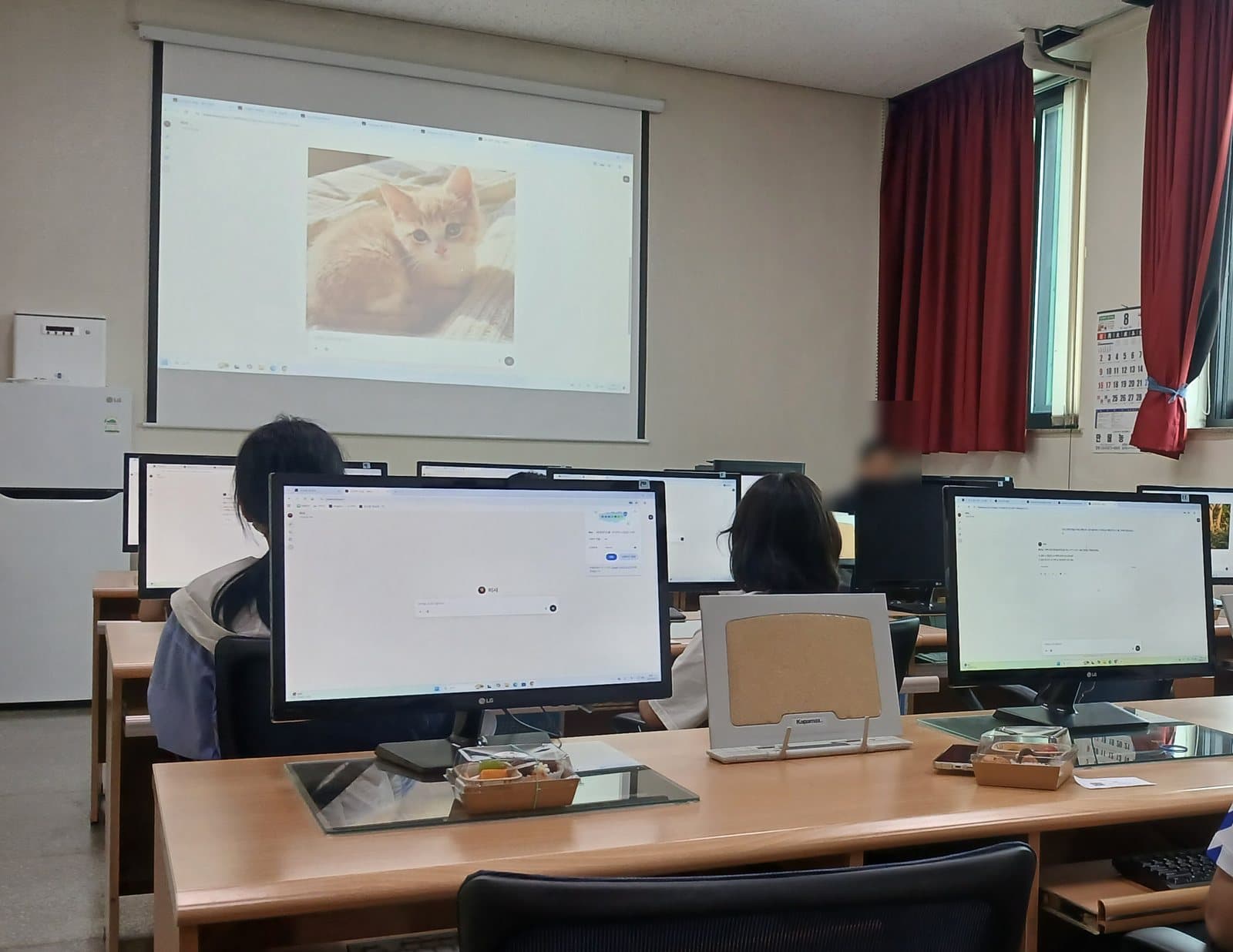


Classrooms, work screens and participant projects, with personal information concealed.
The SimThink family
SimThink OS and the products that run inside it
Staff approvals, work records and reviewed results connect the SimThink products.
The whole system
SimThink OS
Connect planning, work, approvals and review in one system.
Work system
SimThink Surf
The agent window next to your work screen. Final decisions stay with the person.
Learn moreWorkflow design
SimThink Abyss
Define work steps and approval rules for your field. Update rules by changing the data.
Learn moreWorkspace
SimThink Build
A separate workspace for each department, with staff approval before release.
Learn moreStart with the work you want to support.
We help define your work scope and review criteria, then support you from planning to evaluation.